Choosing the right code scanner can save time and money by isolating engine, ABS, SRS, and transmission issues across a wide range of vehicles. This guide highlights five reliable options, covering budget-friendly models, professional-grade devices, and feature-rich scanners. Each pick offers clear code definitions, live data, and user-friendly interfaces to help both DIY enthusiasts and weekend mechanics make informed repairs.
Summary of Selected Products
| Product | Brand | Key Strength | Power/Connectivity | Best For |
|---|---|---|---|---|
| AD310 Classic Enhanced | ANCEL | Fast readings, clear display | OBDII powered | Budget-friendly diagnosis |
| BlueDriver Bluetooth Pro | BlueDriver | Comprehensive reports | Bluetooth, iOS/Android | In-depth diagnostics |
| NT301 OBD2 Scanner | FOXWELL | Live data, simple codes | OBDII | Basic to intermediate diagnostics |
| ZM201 Professional OBD2 | Zmoon | Massive DTC library, updates | OBDII | Advanced DIY diagnostics |
| INNOVA 5210 | Innova | Battery testing, live data | OBDII + battery | All-around vehicle health |
ANCEL AD310 Classic Enhanced OBD II Scanner

The ANCEL AD310 is a compact, entry-level OBD II scanner designed to quickly identify the cause of the check engine light. It reads and clears diagnostic trouble codes (DTCs), displays live data, and provides freeze-frame information, readiness monitors, and vehicle information. Its sturdy build includes a thick, flexible 2.5-foot cable and a bright, easy-to-read display. The device powers directly from the vehicle’s OBDII port, eliminating the need for batteries or external chargers. Users appreciate its simple operation and fast feedback, making it a solid starting point for DIY repairs.
BlueDriver Bluetooth Pro OBDII Scan Tool
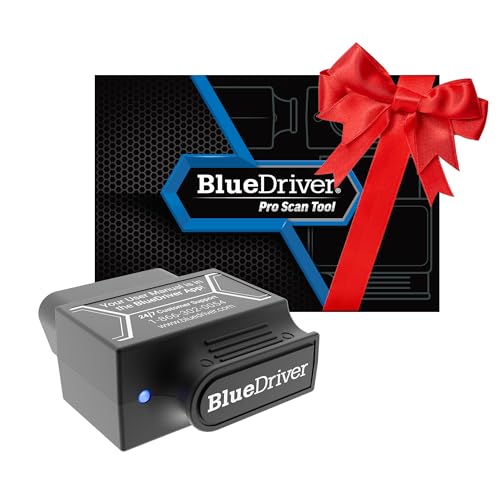
The BlueDriver offers wireless, professional-grade diagnostics for iPhone and Android devices without a subscription. It can read and clear trouble codes across multiple systems, including ABS, Airbag (SRS), and TPMS, with a robust library of known issues. Real-time health monitoring, repair reports with possible causes and fixes, and live data make BlueDriver a powerful tool for those who want detailed insights beyond basic code reading. It emphasizes a user-friendly experience and broad vehicle compatibility since 1996 and newer models are supported.
FOXWELL NT301 OBD2 Scanner

The NT301 is a professional-grade yet approachable OBD2 scanner focused on essential fault codes, live data, and reader-friendly diagnostics. It provides access to emission readiness status, the VIN, and the ability to turn off the MIL once repairs are complete. While it excels at general diagnostics with accurate data streaming, it does not support advanced functions for ABS, SRS, or maintenance resets. This makes NT301 ideal for everyday diagnostics on a wide range of vehicles without overcomplication.
ZM201 Professional OBD2 Scanner

The ZM201 offers an expansive feature set, including full OBDII functionality, live data with graphing, a built-in 35,901 DTC library, and even the ability to print fault data via a connected computer. It supports a broad range of vehicles since 1996 and includes free lifetime software updates. This makes ZM201 well-suited for enthusiasts who want extensive diagnostic capabilities, data history, and the ability to generate reports for DIY or professional use.
INNOVA 5210 OBD2 Scanner

The Innova 5210 combines OBD2 diagnostics with a battery tester to assess alternator health and battery performance. It provides live data and readiness information to streamline emissions testing. While coverage for ABS and certain other systems may vary by vehicle, Innova’s emphasis on battery health and real-time diagnostics makes it a strong all-around tool for car owners who want a broad view of their vehicle’s health in one device.
Buying Guide
When selecting a code scanner, consider the following perspectives to match your needs:
- Vehicle coverage and compatibility: Ensure the scanner supports OBDII vehicles, plus any systems you care about (ABS, SRS, transmission, EVAP, etc.). If you own or service import cars or older models, verify model compatibility before purchase.
- Depth of diagnostics: Basic readers simply read and clear codes, while professional tools provide live data, I/M readiness, VIN retrieval, diagnostic trouble code definitions, and repair recommendations. For frequent DIY repairs, a device with live data graphs and repair guidance is valuable.
- Connectivity and usability: Wired scanners are reliable and fast, while Bluetooth or Wi‑Fi tools paired with a mobile app offer convenience and portability. Consider whether you prefer a dedicated handheld interface or a mobile app experience with report generation.
- Data access and reporting: Some models offer extensive DTC libraries and repair reports. If you want to save or share information with a mechanic, choose a scanner that supports exporting data to files or cloud services.
- Power and installation: Most devices draw power from the vehicle’s OBDII port. Battery-powered tools may require charging; check whether the unit provides power from the vehicle and what startup times to expect.
- Software updates: A scanner with ongoing software updates stays current with new codes and vehicle systems. Consider brands offering lifetime or affordable update policies to maximize value over time.
How To Use A Code Scanner Effectively
To maximize accuracy and efficiency, follow these steps: connect the scanner to the OBDII port, power on the vehicle, and allow the device to initialize. Select the read or scan function to retrieve DTCs, view live sensor data, and monitor freeze-frame details. After repairs, re-scan to confirm that codes are cleared and the system shows a healthy status. If codes recur, review the data history and consider professional diagnostics for deeper issues such as mechanical faults or sensor malfunctions.
Common Features To Look For In A Scanner
- Live data streaming with graphs
- VIN and I/M readiness status retrieval
- Multi-system coverage (engine, ABS, SRS, transmission, EVAP)
- Code definitions, repair suggestions, and one-click MIL reset
- Data printing or exporting capabilities
FAQ
- Do I need a professional-level scanner to diagnose my car’s problems? Not always. For basic engine codes and simple checks, entry-level and mid-range scanners are often sufficient. Higher-end tools add live data analytics and multi-system diagnostics.
- Can I use a Bluetooth scanner with my phone? Yes. Many models pair with iOS or Android apps to provide detailed diagnostics, data history, and wireless convenience.
- Will a scanner fix the problems it finds? No. A scanner identifies faults and helps guide repairs. Physical maintenance or part replacement is required to resolve issues.